
Know what is happening on every job, in real time
One-tap crew check-ins, photo documentation, change orders, and a real-time production board. Stop calling crews for updates -- the updates come to you.
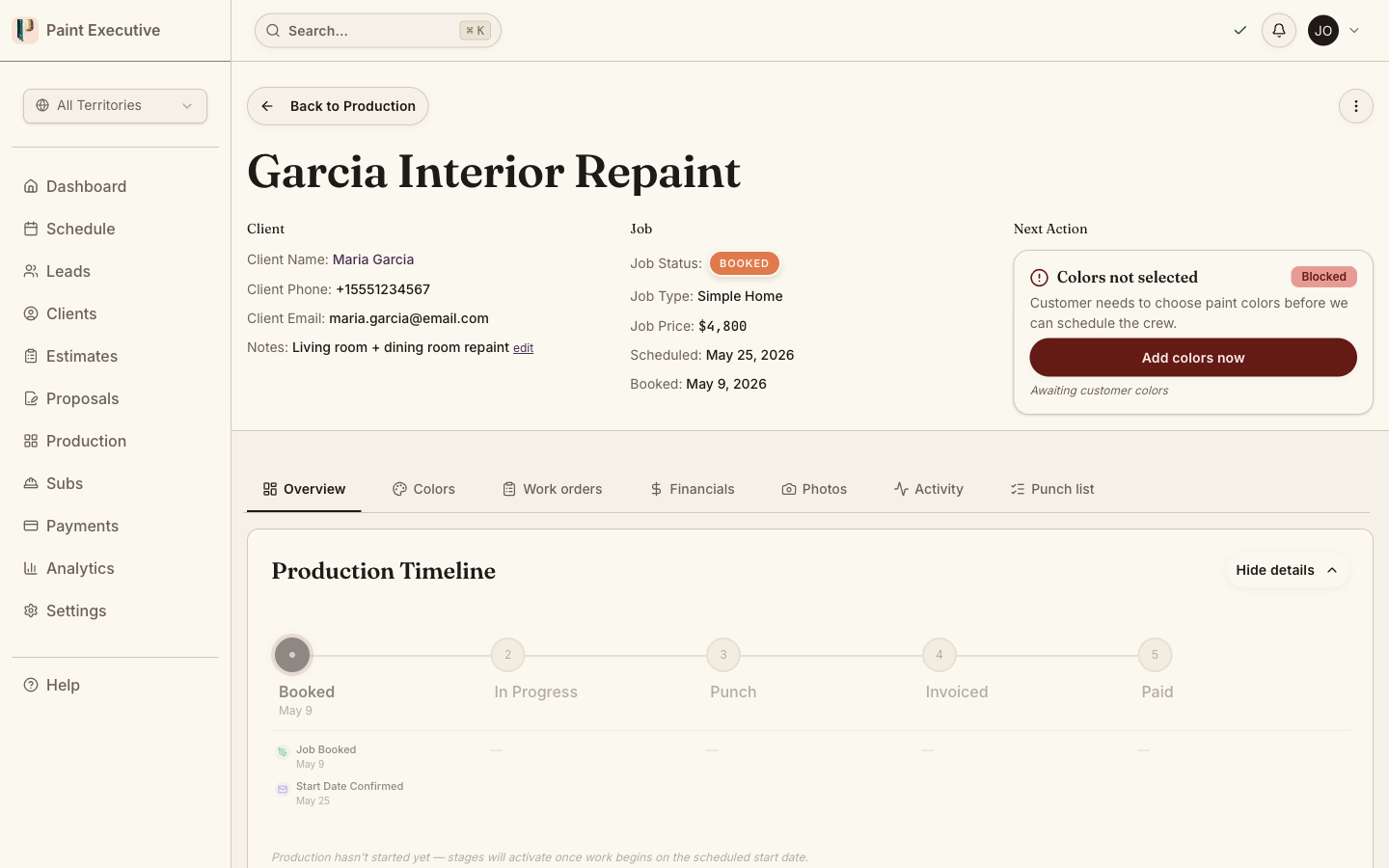
The Problem
You manage production by phone calls, text messages, and guesswork
At 7 AM you text five crews asking if they are on-site. By noon you have heard back from two. The rest are either painting or ignoring you. A homeowner calls asking about progress and you have no idea what to tell them.
No visibility into job progress
Without real-time tracking, you discover problems when the customer complains. By then, the issue is a crisis instead of a quick fix.
Phone-based status updates
Calling every crew every morning wastes your time and theirs. Text chains are unreliable and impossible to search when you need history.
No record of who showed up when
You trust that crews started when they said they did. Without timestamped check-ins, there is no simple record of when a crew arrived on-site or left.
Capabilities
Production management built for painting crews
Track, manage, and communicate across every active job from one screen.
Production Grid & Kanban
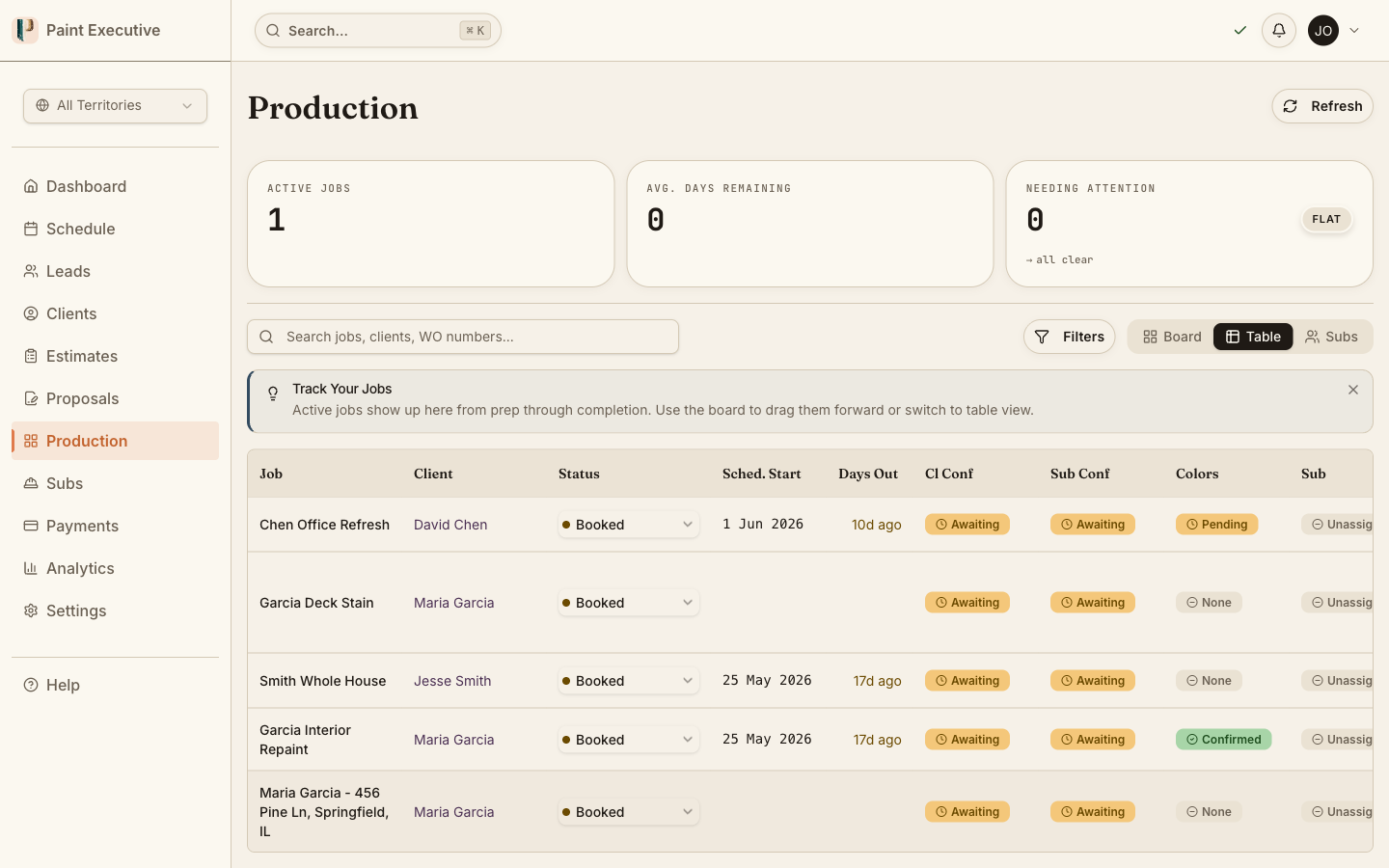
View all active jobs on a grid or Kanban board. 14 production statuses give you precise visibility into where every job stands without picking up the phone.
Crew Check-In / Check-Out
Subcontractors check in and out of job sites with one tap. Each check-in is timestamped, so you see when crews arrived, when they left, and how long they were on-site.
Change Order Management
When scope changes on-site, create a change order with pricing, customer approval, and sub payout tracking. Everything stays linked to the original job.
Photo Documentation
Crews upload progress photos tagged to the job. Before, during, and after photos create a visual record for quality assurance and customer communication.
Real-Time Status Updates
Live Supabase Realtime subscriptions push status changes to your production board instantly. No refresh needed, no polling delay.
How It Works
From job start to completion in four steps
Assign
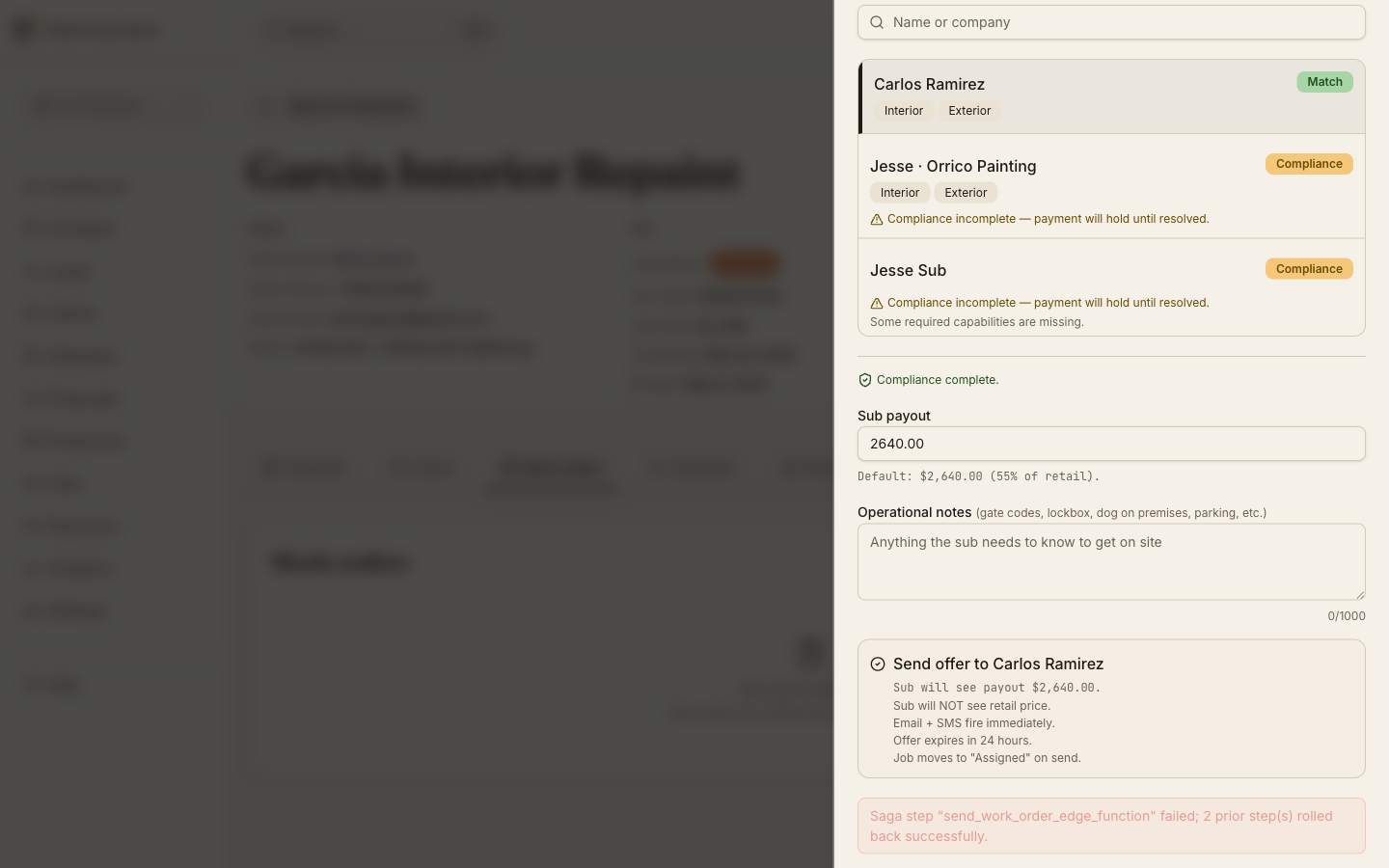
Assign subs to jobs with 24-hour offers. Accept or decline with one tap from the sub portal.
Track
Crews check in with one tap. Progress photos and status updates flow to the production board automatically.
Monitor
See every job on the production grid. Filter by status, crew, date, or territory. Spot delays before they become problems.
Close
Complete the final walkthrough. Customer signs off, and the job moves to invoicing automatically.
Assign
Assign subs to jobs with 24-hour offers. Accept or decline with one tap from the sub portal.
Track
Crews check in with one tap. Progress photos and status updates flow to the production board automatically.
Monitor
See every job on the production grid. Filter by status, crew, date, or territory. Spot delays before they become problems.
Close
Complete the final walkthrough. Customer signs off, and the job moves to invoicing automatically.
Stop managing production by text message
See every job, every crew, and every status update in real time. Try it free for 14 days.
A Closer Look
See production tracking in action
Real product screens showing how painting companies manage active jobs.
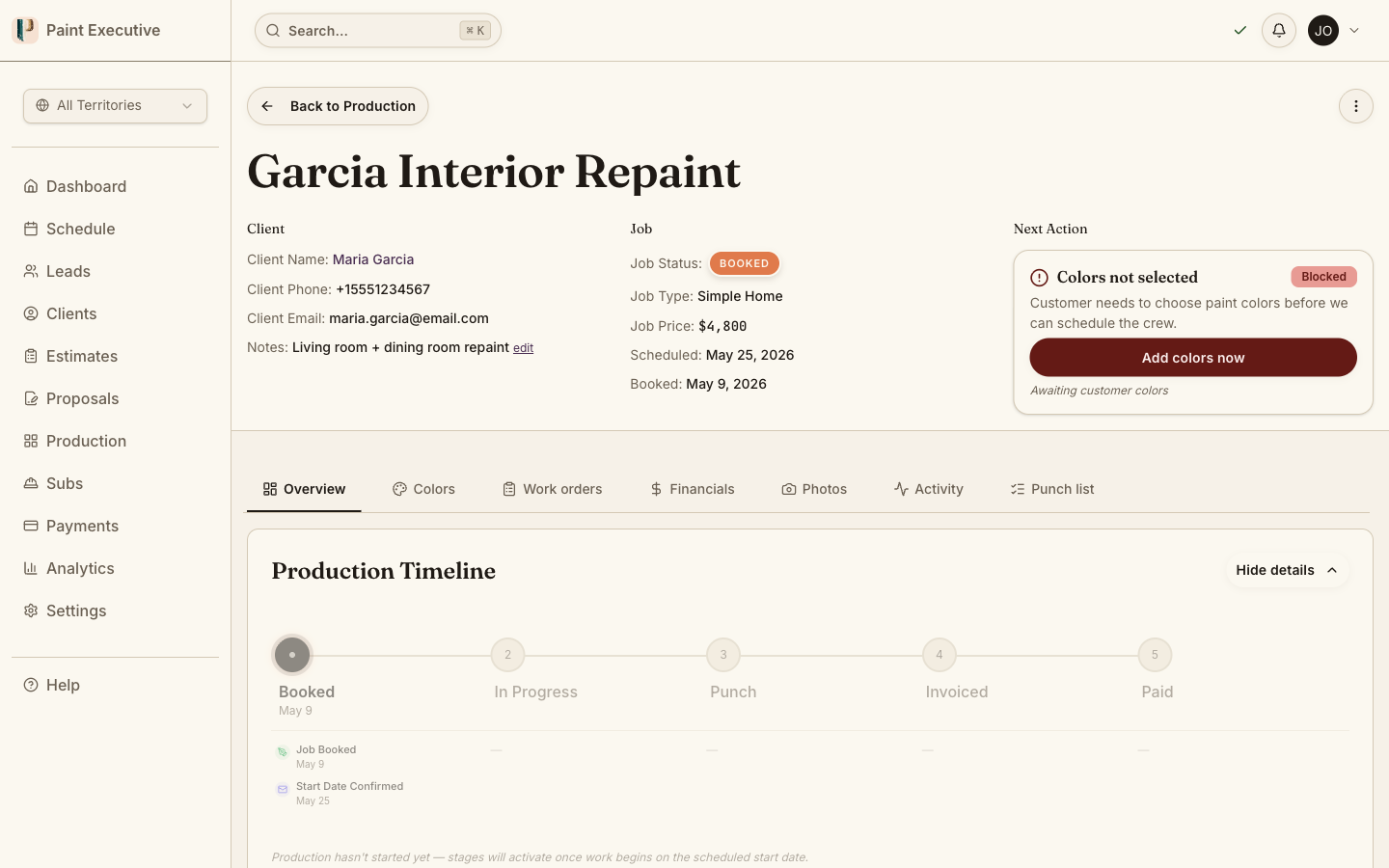
Production board overview
Every active job is visible on a Kanban-style board with 14 statuses. Drag to update, click for details, and filter by crew, territory, or date range.
Kanban view with drag-and-drop status updates
Filter by crew, territory, or date
Crew check-in tracking
Subcontractors check in from the mobile app with one tap and a timestamp. You see exactly when they arrive and leave each job site.
One-tap, timestamped check-ins
Check-in / check-out time tracking
Change order workflow
When scope changes on-site, the crew or admin creates a change order with updated pricing. Customer approval, sub payout, and job total all update automatically.
Inline pricing with customer approval tracking
FAQ
Common questions about production tracking
Paint Executive is a Progressive Web App. Subs access it through their mobile browser -- no App Store or Play Store download required. They can add it to their home screen for an app-like experience.
Crews tap a single button on the job detail screen to check in and again to check out. Each event is timestamped and appears on the production board immediately, so you have a clear record of when crews were on-site.
Yes. The production module includes both a Kanban board and a calendar view. You can see scheduled jobs by day, week, or month and filter by crew or territory.
Status changes push to the production board in real time. When a crew checks in, a status changes, or a change order is approved, the board reflects it instantly -- no refresh and no polling delay.
Any admin or the assigned sub can create a change order from the job detail screen. It includes a description of the scope change, updated pricing, and a customer approval step. Once approved, the job total and sub payout update automatically.
Related Features
Production Tracking is just the beginning
Ready for real-time production visibility?
Join painting companies that track every job from assignment to completion. Start your free 14-day trial today.